Built for wrap, print, sign, tint & PPF shops
Explore the workflowTurn quote requests
into paid shop jobs.
Quote wraps, signs, and print work. Schedule the install, hand off the details, and keep every department moving in one place.
Start free trial7-day trial · No card required · No automatic charge
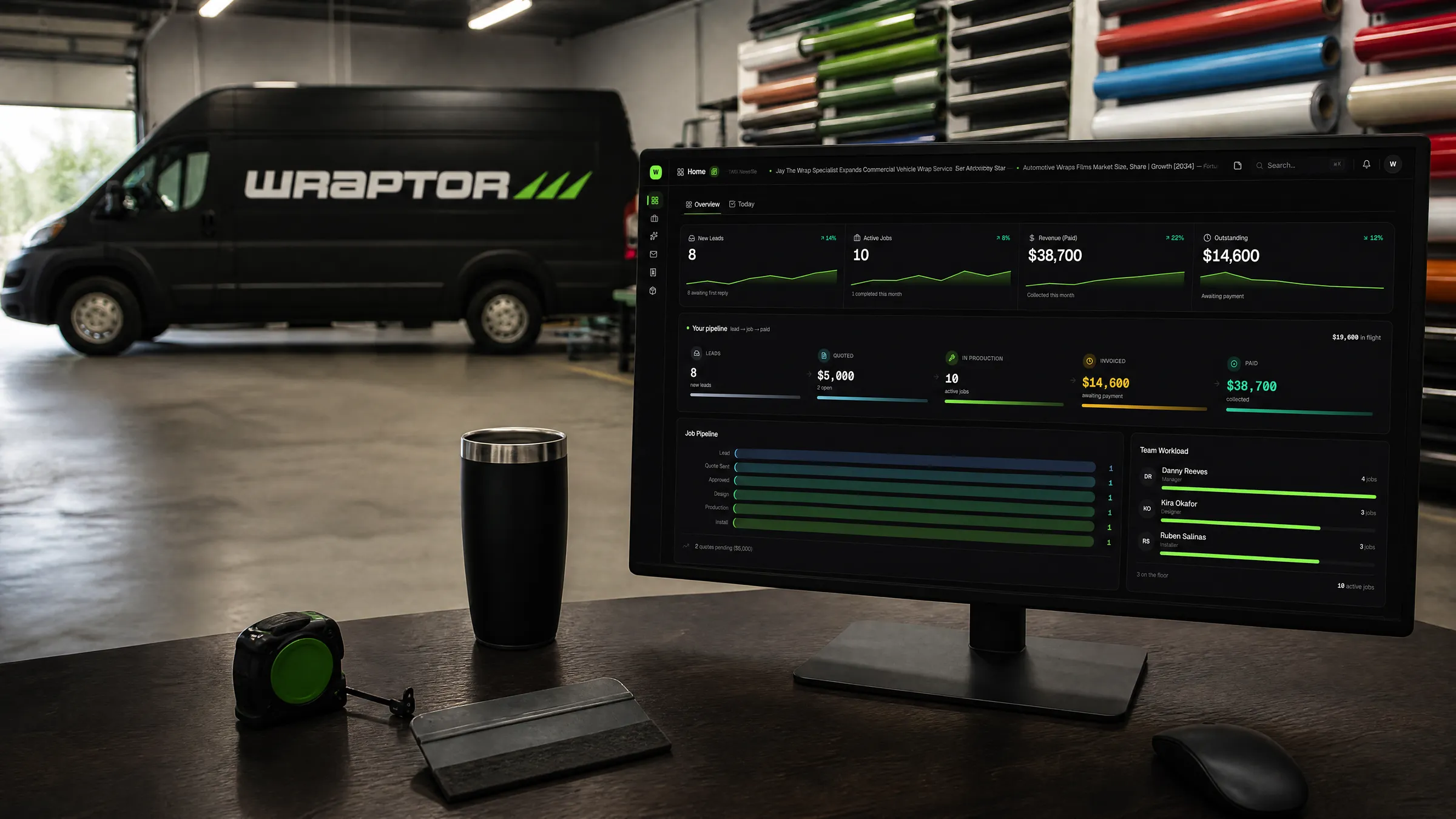
Purpose-built for the trade.
Connected to your business.
2,232+ vehicle measurements
Stripe payments
QuickBooks & Xero sync
From the first request to the final invoice
One job.
One connected workflow.
Less chasing details. More moving work forward. Keep the next step clear for you, your crew, and your customer.
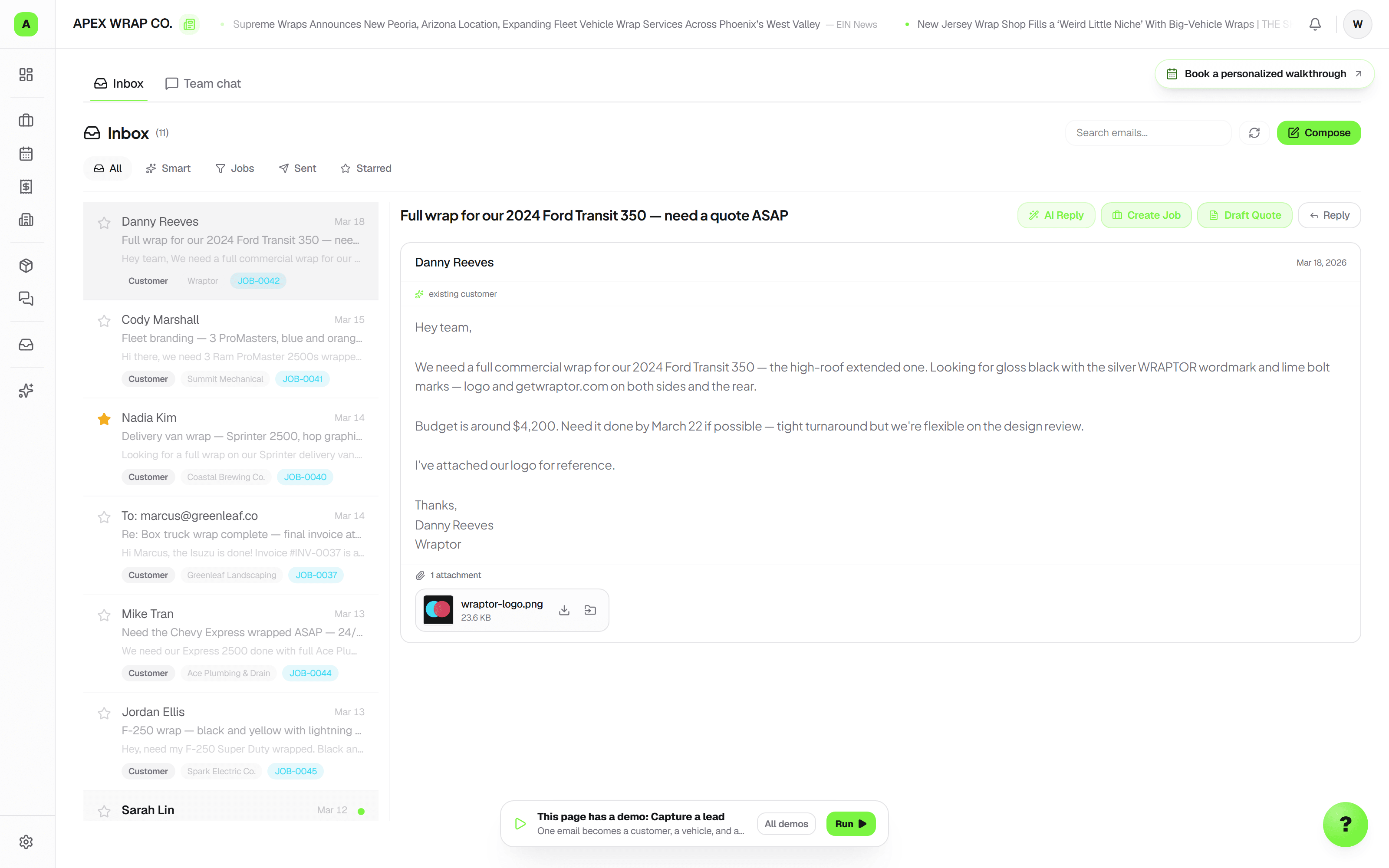
Request
Give every request a place to land
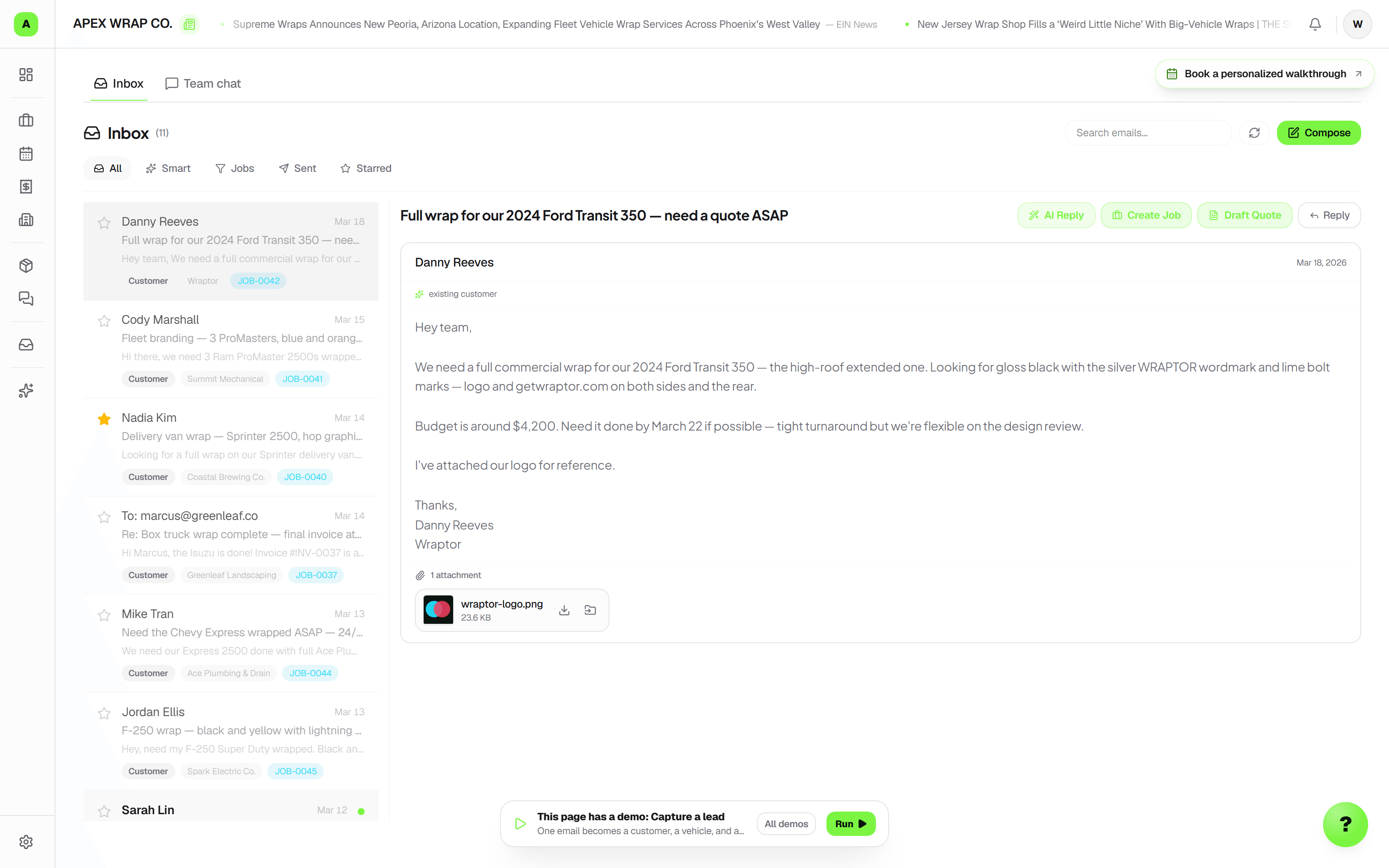
Website and booking leads feed one inbox. For requests handed over on the floor, quick capture saves notes and photos. Review the service and customer, then continue into a draft quote.
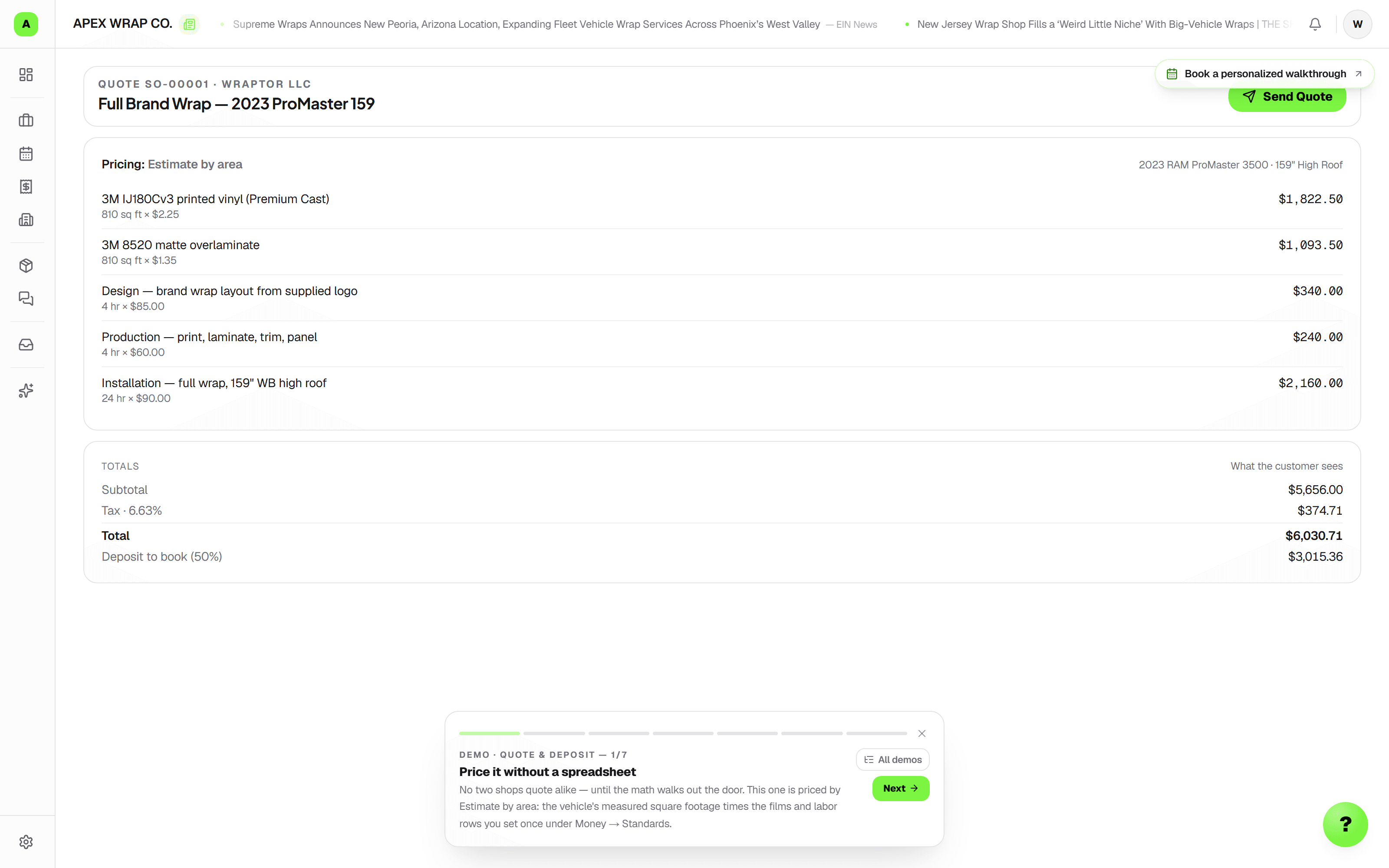
Deposit
Price the work. Collect the deposit.
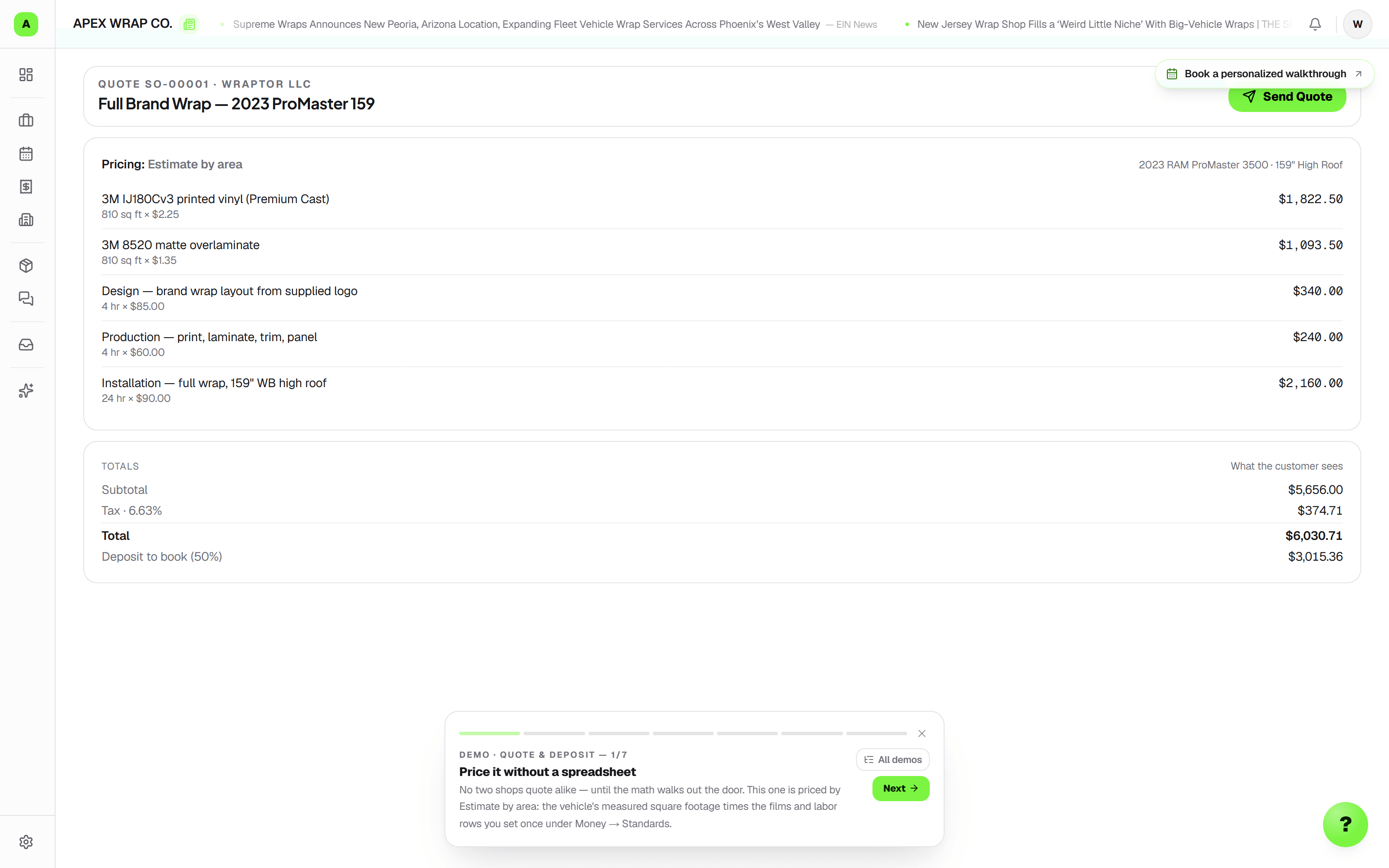
Use your product catalog, area or unit pricing, and quantity breaks for print runs. Send options for approval, then collect invoice deposits and balances through Stripe.
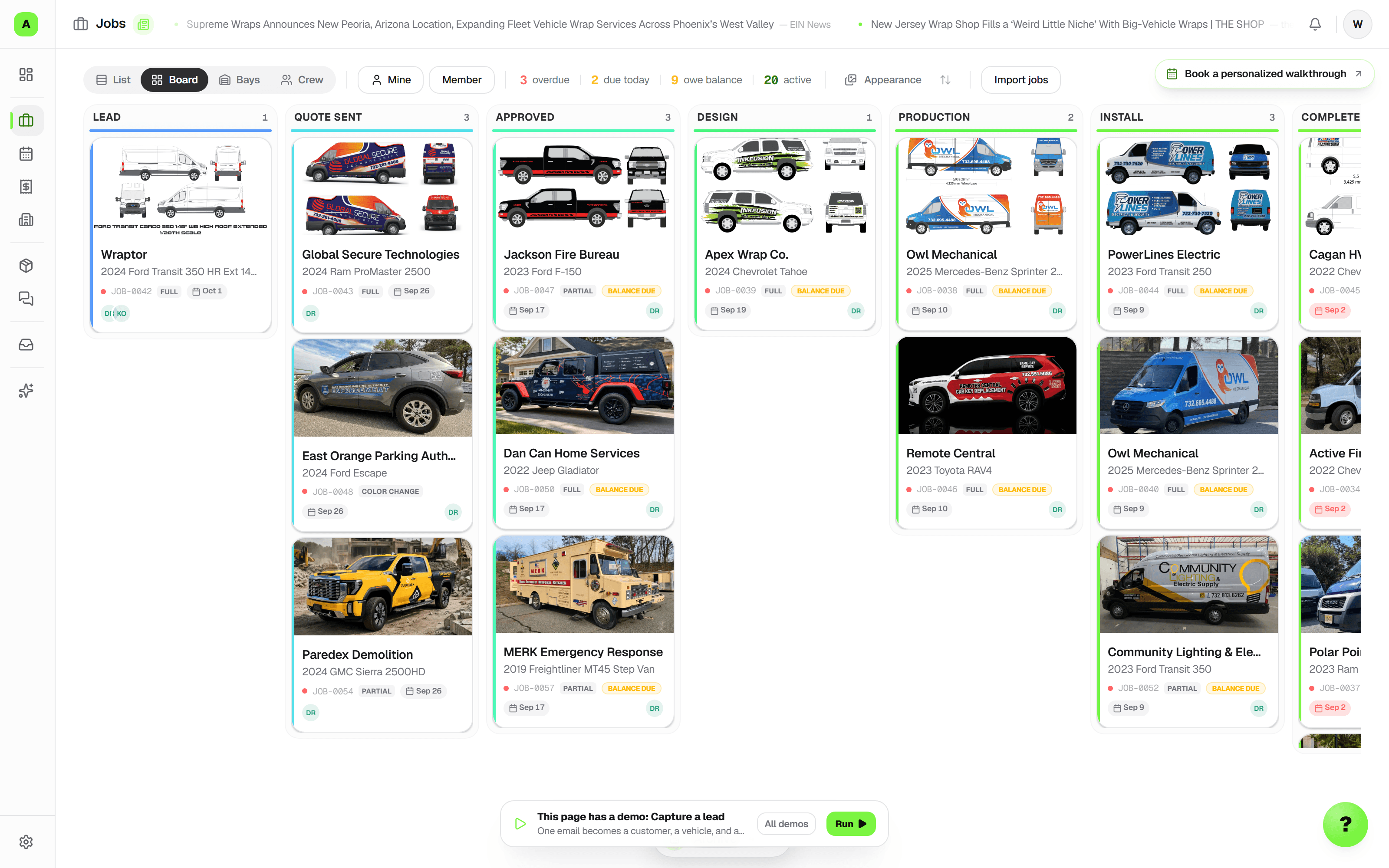
Job
Make the handoff clear
Department stages, install dates, due dates, and next actions stay with one customer job. Today shows what needs attention, and a job ticket brings the production details to the floor.
New in Wraptor
Less retyping.
A clearer next step.
Turn requests, documents, and job notes into work your team can review and act on.
From request to a reviewed quote
Review the service and customer from a captured request, then continue into a draft quote. Compare requested work with the draft, choose what to add, and enter your own prices before sharing.
Read scans and file the right pages
Review text from PDFs and supported images, including English printed scans. File an original to a chosen job or assign its pages to separate jobs, with corrections available and the original preserved.
Find the work and keep it moving
Describe the work you are looking for, open a task focus, or use supported voice and typed commands to find a job or customer, view a schedule, and review a job note before saving.
Available where your plan and team permissions include the underlying tool. Trial and paid usage allowances apply; a suggestion can be left for manual review.
Read the latest updatesA better first impression
FindAWrap finds customers. Wraptor handles the work.
We run FindAWrap.com, where customers find shops and request quotes. Requests we send your shop are free. Wraptor is the paid software that helps you quote, follow up, and run the job.
- No per-lead charge or cut of the job. You can receive a request without buying the software.
- Request availability depends on local demand and shop fit; volume is not guaranteed.
- Your own website and booking forms feed the same inbox, so each request has a next step.
From approved to installed
Keep the crew moving. Keep the customer informed.
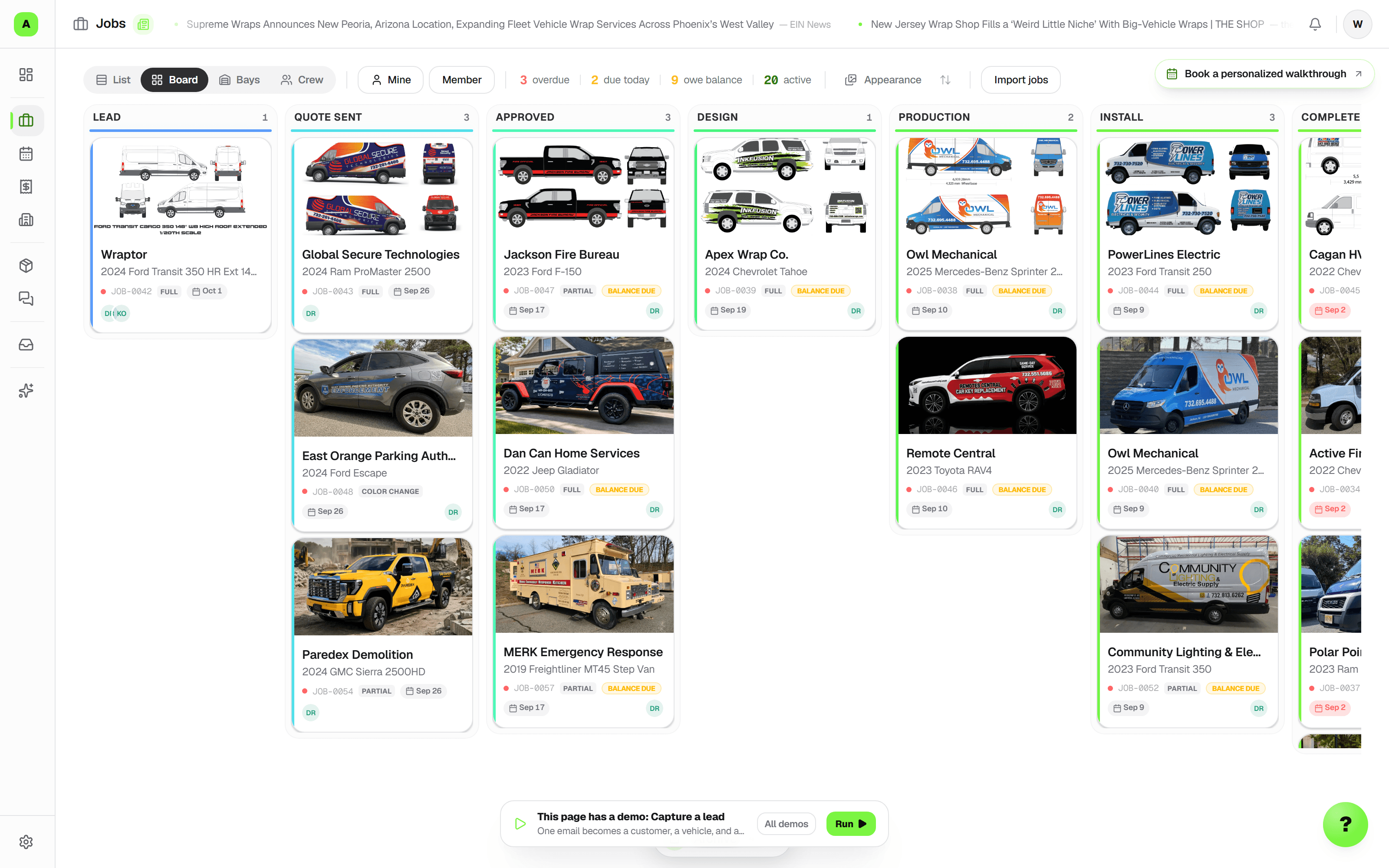
Give wraps, signs, and PPF their own department stages while the customer, artwork, and billing stay together. The office plans the work; the floor sees what needs attention.
- Schedule an install before the job reaches installation. Keep the install date and promised due date separate; bays are optional.
- Assign owners and next actions, flag blockers, and acknowledge changes. Today gathers upcoming work and follow-ups for the floor.
- Prepare editable appointment messages, track customer confirmation, and give customers a status link to their job.
Print, signs, and repeat work
From the first quote to the next print run.
Build a reusable product catalog for print and sign work, then keep the approved details connected to production.
- Price by area, unit, or flat amount, with quantity breaks for larger runs.
- Print a job ticket with product specifications and production checks, and link materials to inventory for costing.
- Start a reorder from a completed print job, review current catalog rates, and prepare a fresh draft for the next run.
The whole shop, connected
Everything around the job.
Right where it belongs.
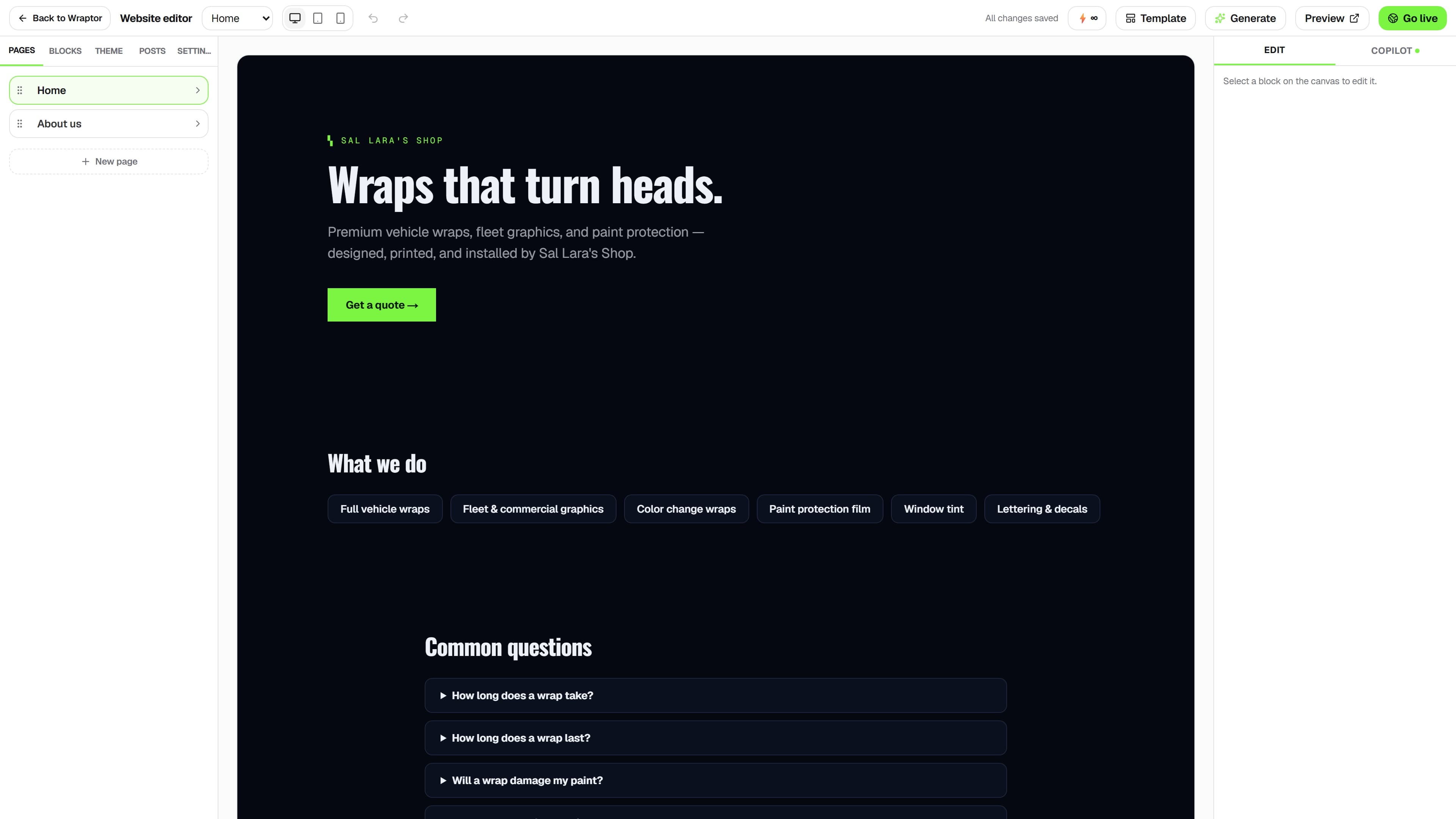
Messages, materials, approvals, and your next install. Keep the office and floor working from the same job details.
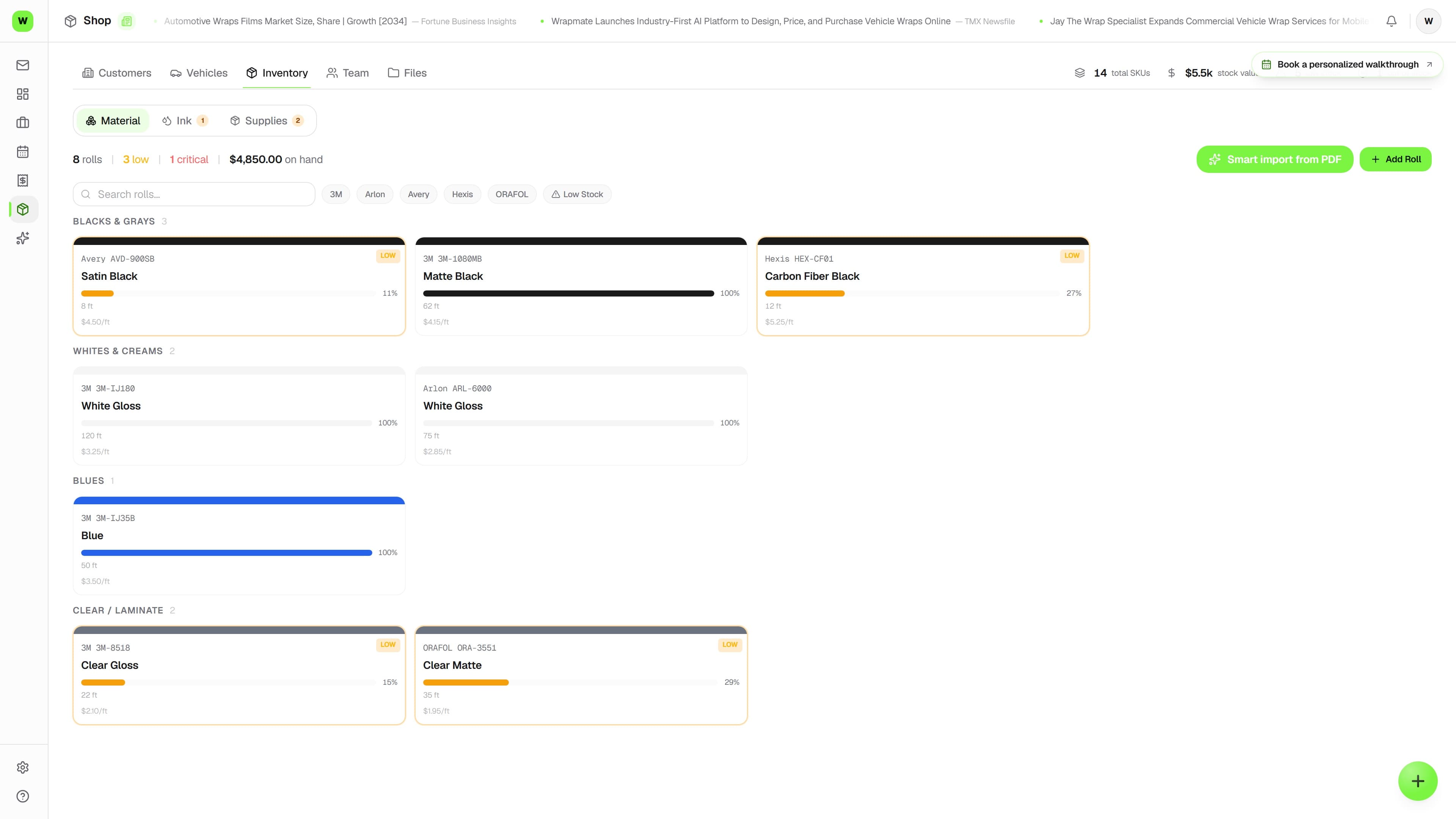
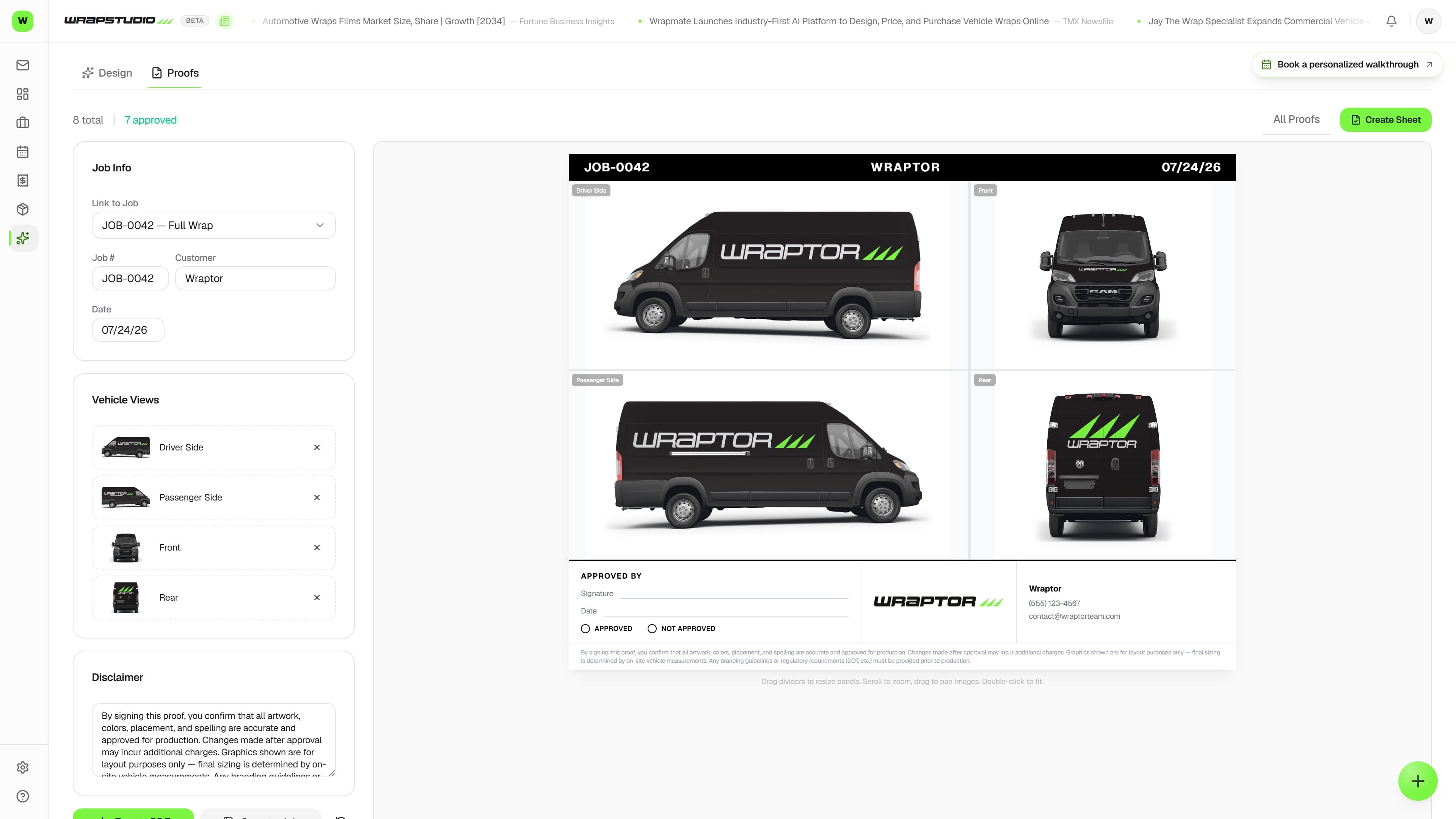
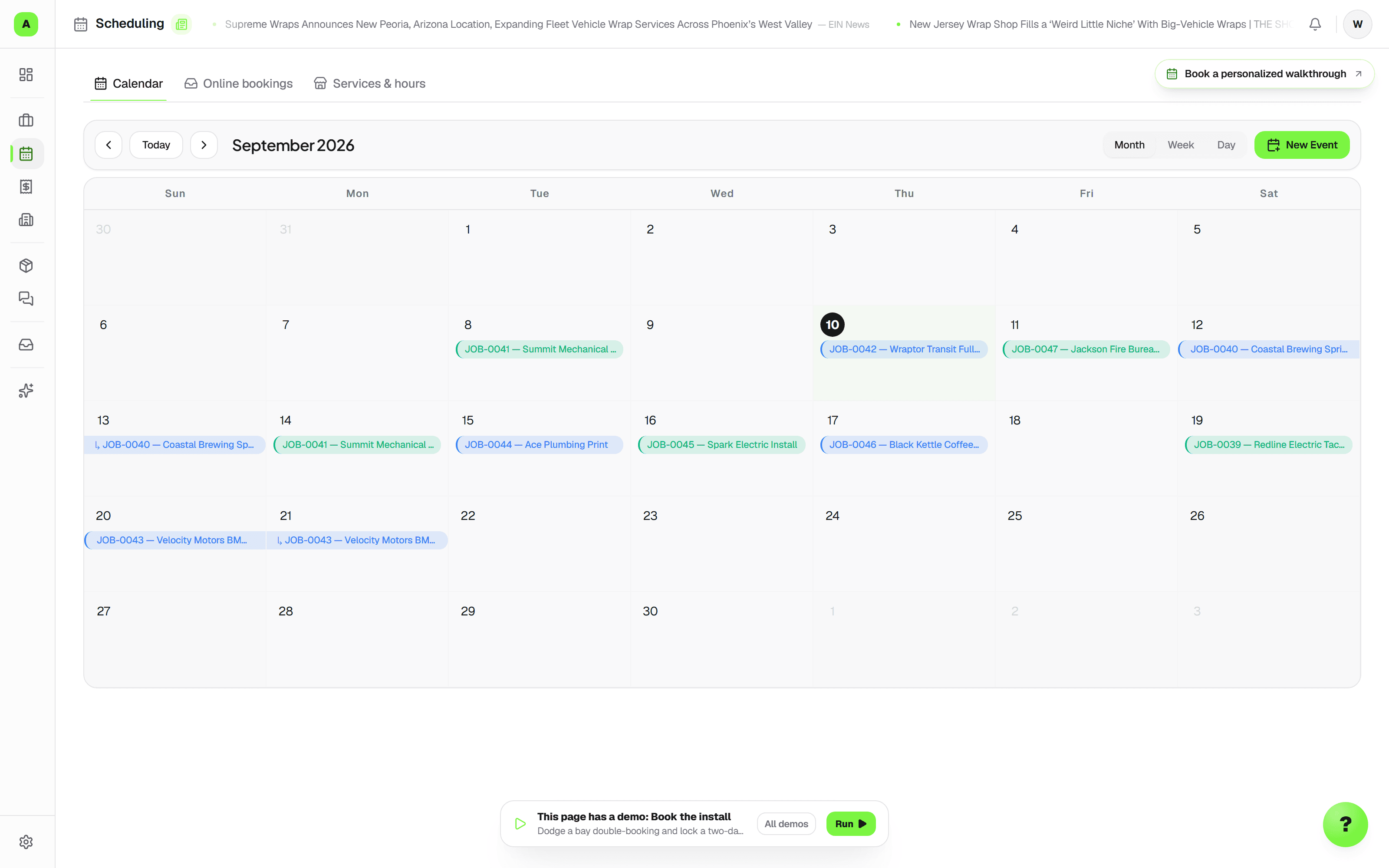
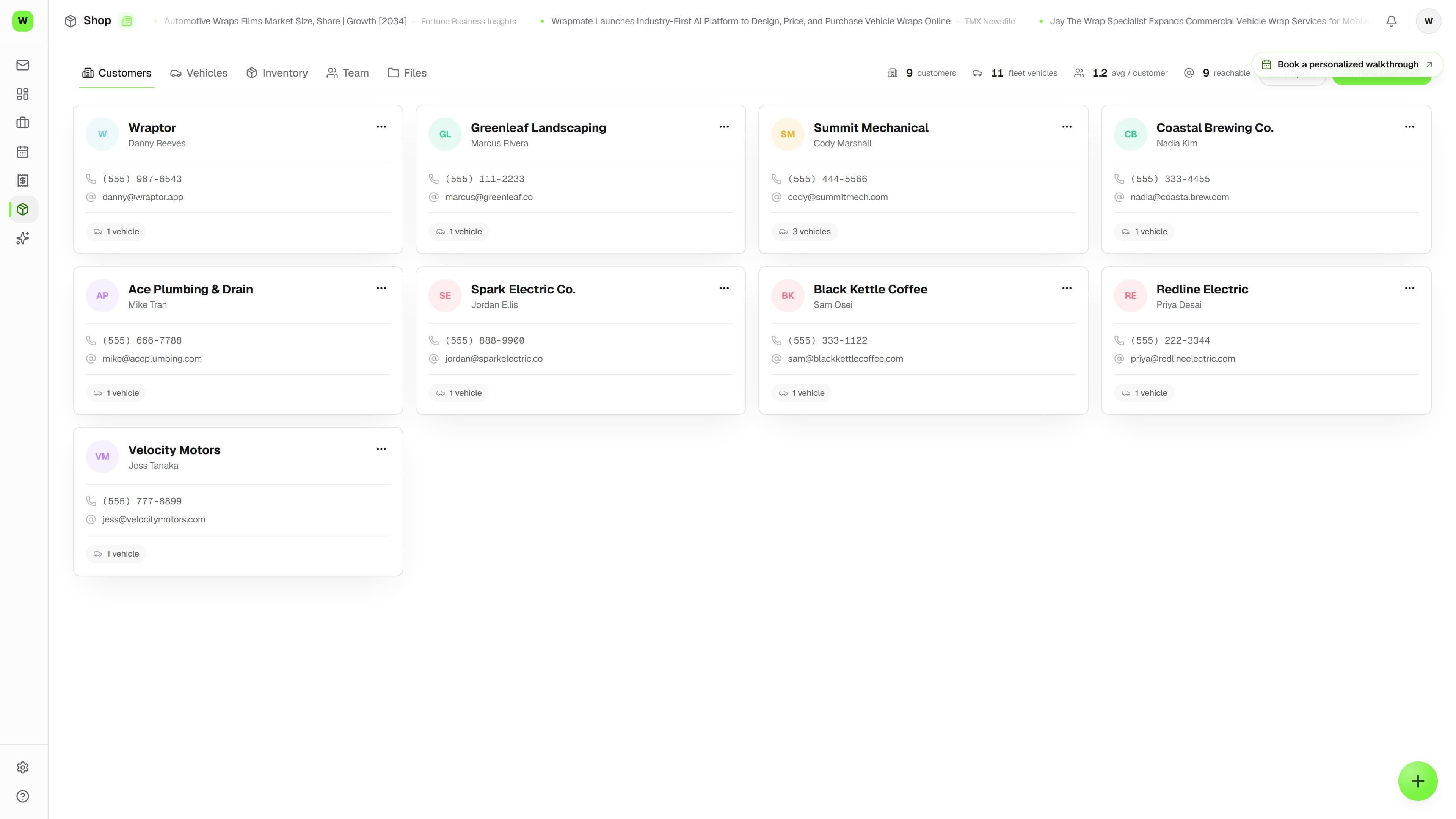
Explore the full platform. Compare plans for team tools and usage allowances.
Explore all featuresGood questions. Clear answers.
A little clarity
before you start.
Get to know the software, the demo, and what comes next.
Meet WraptorWho is Wraptor for?
Wraptor is built for wrap, print, sign, tint, and PPF shops that need quoting, scheduling, customer communication, and production in one place. Mixed-service shops can give each department its own stages while keeping one customer job and billing record.
Do I need a card to book the demo?
No. The 30-minute demo is free and booking requires no card. Bring a real job or a recent quote. You can start a 7-day software trial directly without a card or a demo. There is no automatic charge. Your work stays saved. Plan features and trial usage allowances apply.
Are FindAWrap leads free?
Yes. Requests we send to your shop have no per-lead charge or cut of the job, and receiving one does not require buying Wraptor. Wraptor is the paid software for handling the work. Requests depend on local demand and shop fit; we do not guarantee lead volume or that you will win a job.
What does the software cost?
Paid plans start at $99/month. Higher plans add team tools, capacity, and larger allowances. The pricing page shows included seats, locations, storage, inboxes, and AI usage so you can choose for your shop.
Do I need to move everything before the demo?
No. Bring one job or quote you know well. We will use it to show the workflow and discuss your customer data, existing tools, and setup before you decide how to move over.
How do quotes and payments work?
Set your rates and quote defaults, then price by area, per unit, or a flat amount. Where vehicle measurements are available, use them as your starting point; nearest matches and manual dimensions are labeled. Customers can approve from a link. Connect Stripe to collect invoice deposits and balances by card or US bank account.
Can I schedule an install before production is finished?
Yes. Set an install date while the job is still in design or production, and keep the promised due date separate. Switch between agenda, week, and month layouts using either date. Scheduling works with your shop location; a bay and assigned crew are optional. Save your preferred Jobs view as your personal default.
How does the office hand work to the floor?
Assign scheduling and production owners, record the next action, and flag blockers or follow-ups on the job. Staff can acknowledge the changes they reviewed. Today brings upcoming work and items needing attention together, and mobile photo uploads offer camera, photo library, and file selection.
Comparing your options? See how Wraptor compares.
See it live
Bring a job.
See what clicks.
Bring a wrap, a sign order, or a repeat print run. We’ll walk through your quote, schedule, and production handoff together.
Free demo · No card to book.
Start a 7-day no-card trial whenever you are ready; the call is optional.