WrapMail

Your email doesn't know what a wrap job is. This one does.

Keep customer email beside the work it belongs to. WrapMail classifies incoming mail, links conversations to customers and jobs, and helps staff turn inquiries into jobs. Shared and private mailboxes give each teammate the access they need.

7-day trial · No card required · No automatic charge

Wraptor / WrapMail Product view
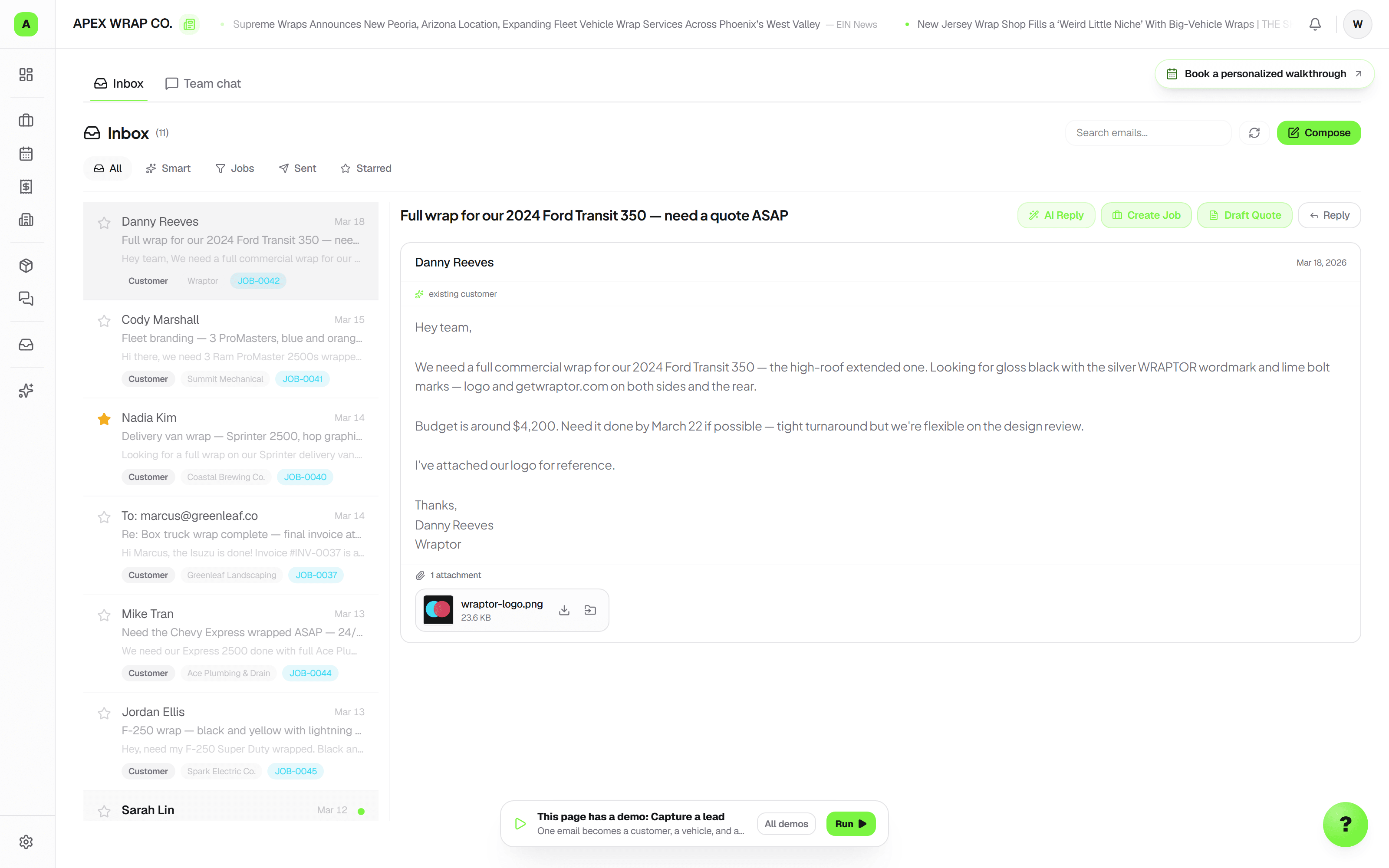
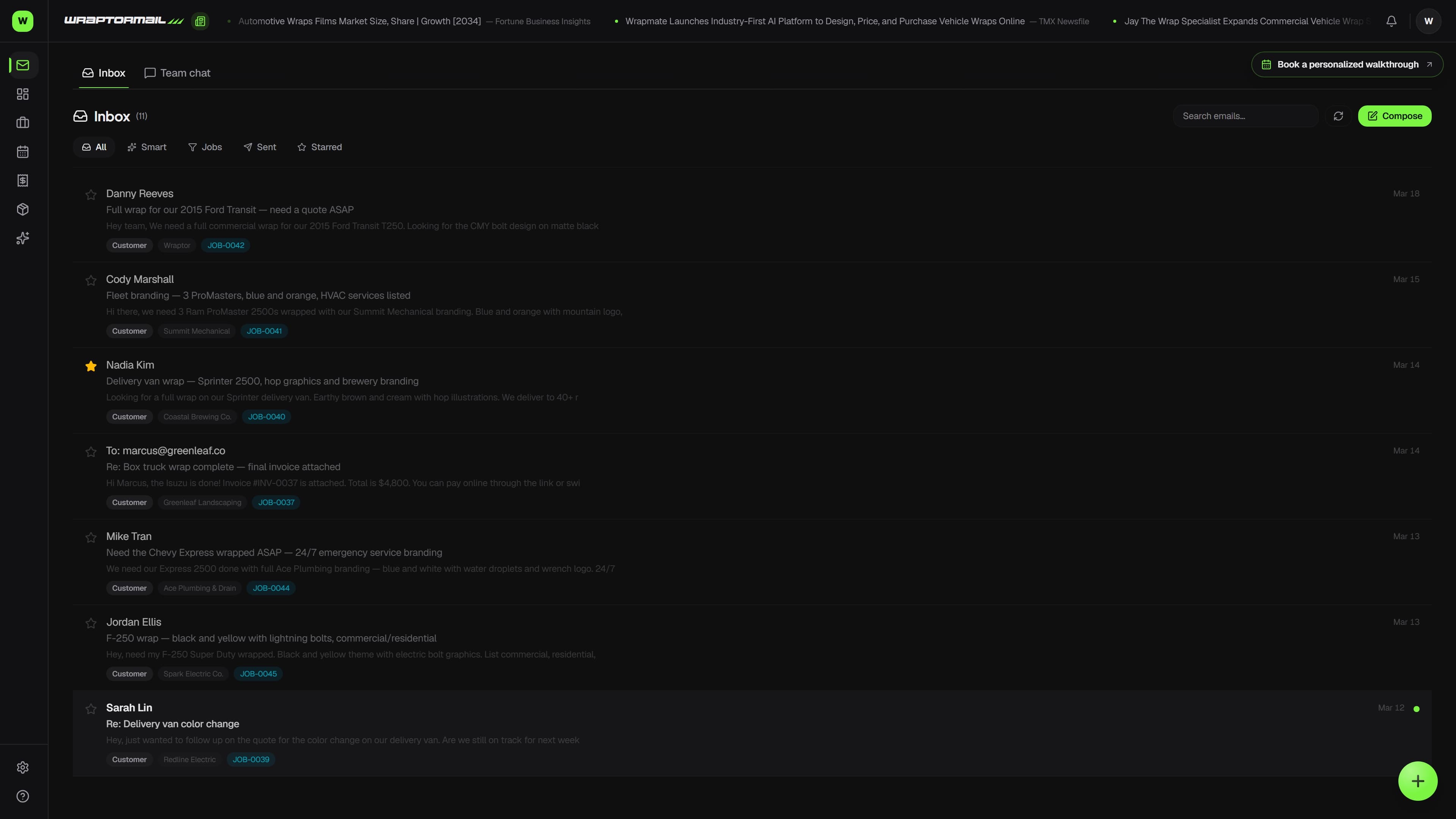
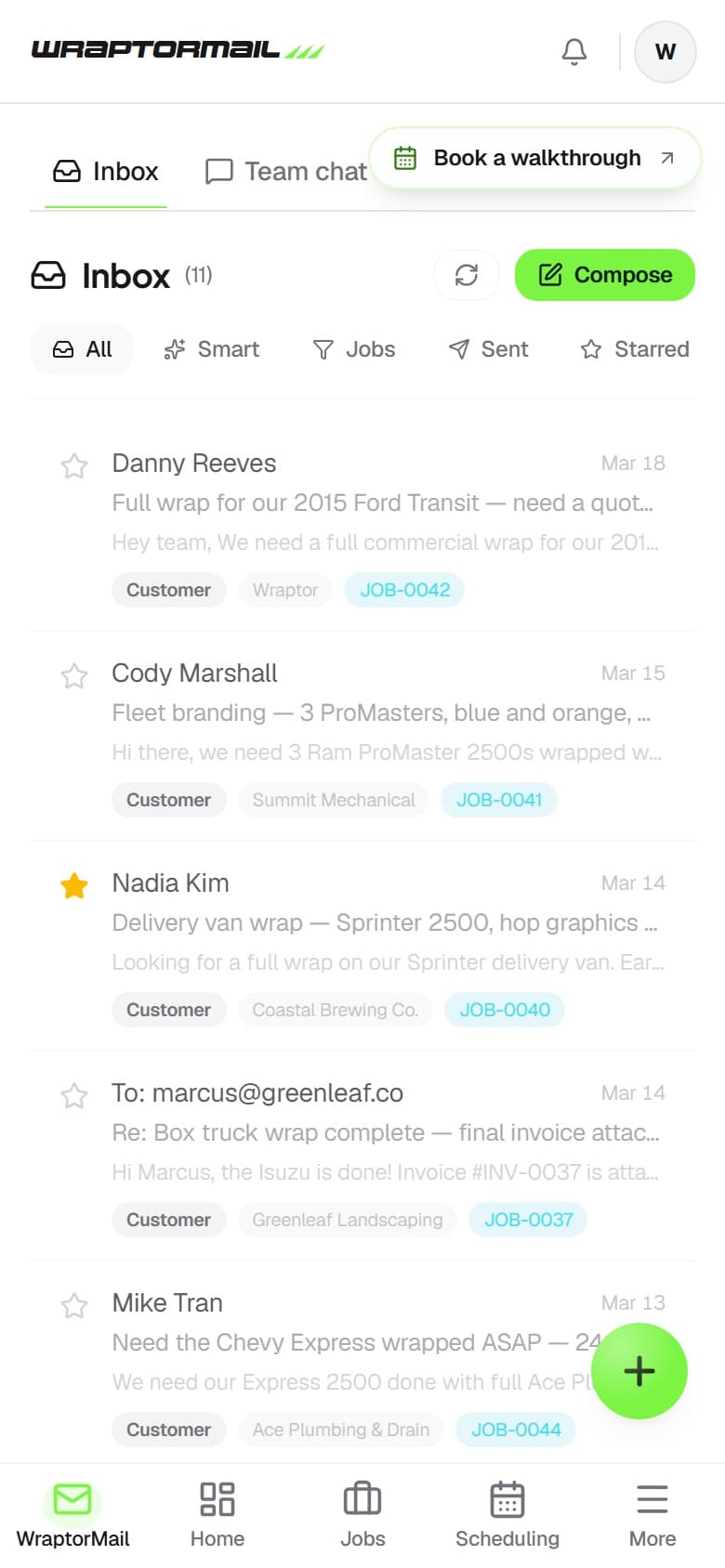
WrapMail shared inbox showing AI-tagged emails for a fleet inquiry, customer reply, and vendor shipment

A look inside your next workday.

A better way to work

Why switch from Google Workspace?

Google Workspace is great general-purpose email. It just doesn't know anything about your business.

Without Wraptor

  • Generic inbox with no industry context
  • Manual lead tracking, easy to lose inquiries
  • No connection between email and jobs
  • Vendor emails mixed with customer emails
  • Separate CRM, invoicing, and inventory needed
  • No idea which emails led to revenue

With Wraptor

  • AI knows wraps, vehicles, and your shop data
  • Auto-detects leads and drafts follow-ups
  • Emails auto-link to jobs and customers
  • Vendors auto-sorted, invoices update inventory
  • CRM, jobs, invoicing, inventory all built in
  • Full revenue attribution from inbox to invoice

Try it

Get a feel for the workflow.

Explore the interactive preview and see how the pieces fit into your day.

Live demo — click it
Quote for two company trucks

Maria G. <maria@solaristx.com>

Hi — we just added two Silverados to the fleet and want them matching the branded Transit you did for us in March. Same colors, same layout. What would two run us, and how soon could you take them?

Smart Inbox

Quote request
Repeat customer
2× Silverado
High intent

One click — no copy-pasting into a second system.

See it in action

Every view. One familiar workspace.

Take a closer look at the screens your crew will use, with views for the way you like to work.

WrapMail shared inbox showing AI-tagged emails for a fleet inquiry, customer reply, and vendor shipment (light mode)

How it works

A clear path from setup to done.

01

Customer inquiry email arrives

AI extracts vehicle, service, and contact info. One click creates a job and pre-fills a quote.

02

Vendor material invoice lands

AI parses line items — brand, SKU, color, quantity, price. Confirm with one click, auto-added to inventory.

03

Lead goes quiet

Cold lead detection flags stale opportunities ranked by value and drafts a follow-up so you never lose a high-value lead to silence.

04

Track every dollar from email to invoice

See which channels bring revenue, conversion rates at each stage, and how fast you close — all from the inbox.

Capabilities

The details that make the difference.

  • AI Auto-Tagging

    Every incoming email is automatically classified as a new lead, existing customer, vendor, or noise. No rules to set up. It just works.

  • Job Linking

    Keep email linked to its customer and job, and review the details when a match is unclear. Open the conversation alongside the recorded work and history.

  • Shared and private mailboxes

    Use a shared shop address and separate teammate mailboxes in one workspace. Grant read or send access per mailbox; each person sees the inboxes available to them, with tabs and an All inboxes view.

  • Auto-Inventory from Vendor Invoices

    When a material order hits your inbox, AI parses the line items and adds them to inventory with one click. Brand, color, SKU, quantity, all extracted.

  • Cold Lead Detection

    If a lead goes quiet, it gets flagged with a pre-drafted follow-up. High-value leads get flagged faster. A dedicated Cold Leads view shows every stale opportunity ranked by value.

  • Revenue Attribution

    Track every lead from first email to paid invoice. See which channels bring money, conversion rates at each step, and how fast you close.

  • Vendor Auto-Sorting

    3M, Avery, your print supplier. Vendor emails auto-separate from customer conversations so you never dig through promo emails to find a client reply.

  • Custom Domain

    Use your own domain (team@yourshop.com) or get a free @wrapmail.net address. Professional email that matches your brand.

  • Your logo, readable everywhere

    White or light wordmark? Flip the document header to dark and Wraptor frames your logo on a near-black plate across every email it sends — plus your quote, invoice, PO, and job-packet PDFs, your booking page, and every e-sign page. One switch in shop settings; nothing to re-export.

  • Or Bring Your Own Mailbox

    Keep a supported existing mailbox and connect it through Email settings, with AI triage and job linking in Wraptor. Gmail-compatible connections use an app password; Microsoft 365 uses its separate sign-in connection when configured. Connection options depend on provider setup.

  • Attachments in and out

    Files that come in arrive as thumbnails you can save straight onto the matching job. Send attachments from the composer too — up to 10MB per file and 25MB per message.

  • Send-later and quiet hours

    Schedule a message to go out later and cancel it any time before it sends. Set your shop's quiet-hours window and every automated send waits for morning — anything you send by hand always goes through.

  • AI That Works Without Asking

    Draft replies, summarize threads, and review customer context from the conversation. Check the suggested text before sending.

  • Reviewed email intent

    Incoming email triage helps distinguish job requests and supplier messages. Keep the original message, check extracted details, and use the usual quote, reply, or inventory workflow.

FAQ

Common questions.

What is WrapMail?

WrapMail is Wraptor's built-in email system designed for wrap shops. It combines a shared team inbox with AI-powered features like auto-tagging, job linking, and draft replies so your entire team can manage customer communication from one place without switching between apps.

Does Wraptor's AI read and classify emails?

Yes, WrapMail uses AI to automatically classify every incoming email as a new lead, existing customer, vendor, or noise. It also links emails to the correct job and customer profile automatically, so you always have full context without digging through threads.

Can I use my own domain with WrapMail?

Yes, WrapMail supports custom domain setup so you can send and receive from your own business email address like info@yourshop.com. Your customers see your brand, not Wraptor, keeping your communication professional and consistent.

Can I keep my existing email address instead of switching?

Yes, for supported providers. Email settings offers hosted WrapMail or a connection to your existing address. Gmail-compatible mailboxes use an app password; Microsoft 365 uses Microsoft sign-in when the connection is configured. Your provider's permissions and setup determine which connection is available.

Does WrapMail support a shared team inbox?

Yes. You can share the shop mailbox and keep other mailboxes private, with read or send grants for specific teammates. Each person sees only the mailbox views their access permits; the owner retains access to manage the shop's mailboxes.

Can I send attachments or schedule emails in WrapMail?

Yes. The composer sends attachments up to 10MB per file and 25MB per message, and files that come in arrive as thumbnails you can save onto the matching job. You can schedule a message to send later and cancel it before it goes. If you set quiet hours for your shop, automated emails hold until the window closes, while anything you send by hand goes out immediately.

Make room for better work

Included with paid Wraptor plans

Every plan includes a shared team inbox; higher tiers raise the mailbox ceiling — 1 on Starter, 3 on Shop, 5 on Fleet. Start a 7-day free trial by connecting the email you already use — no card required, no automatic charge. Your WrapMail address comes with your paid plan.

Free demo · Optional 7-day trial requires no card