Inventory Tracking

Know every roll in your shop

Track vinyl, PPF, laminate, print substrates, and supplies by brand and SKU. Plan stock against jobs, record deductions at your material-use stage, and restock with purchase orders. Linked print products show substrate cost beside the selling price.

7-day trial · No card required · No automatic charge

Wraptor / Inventory Tracking Product view
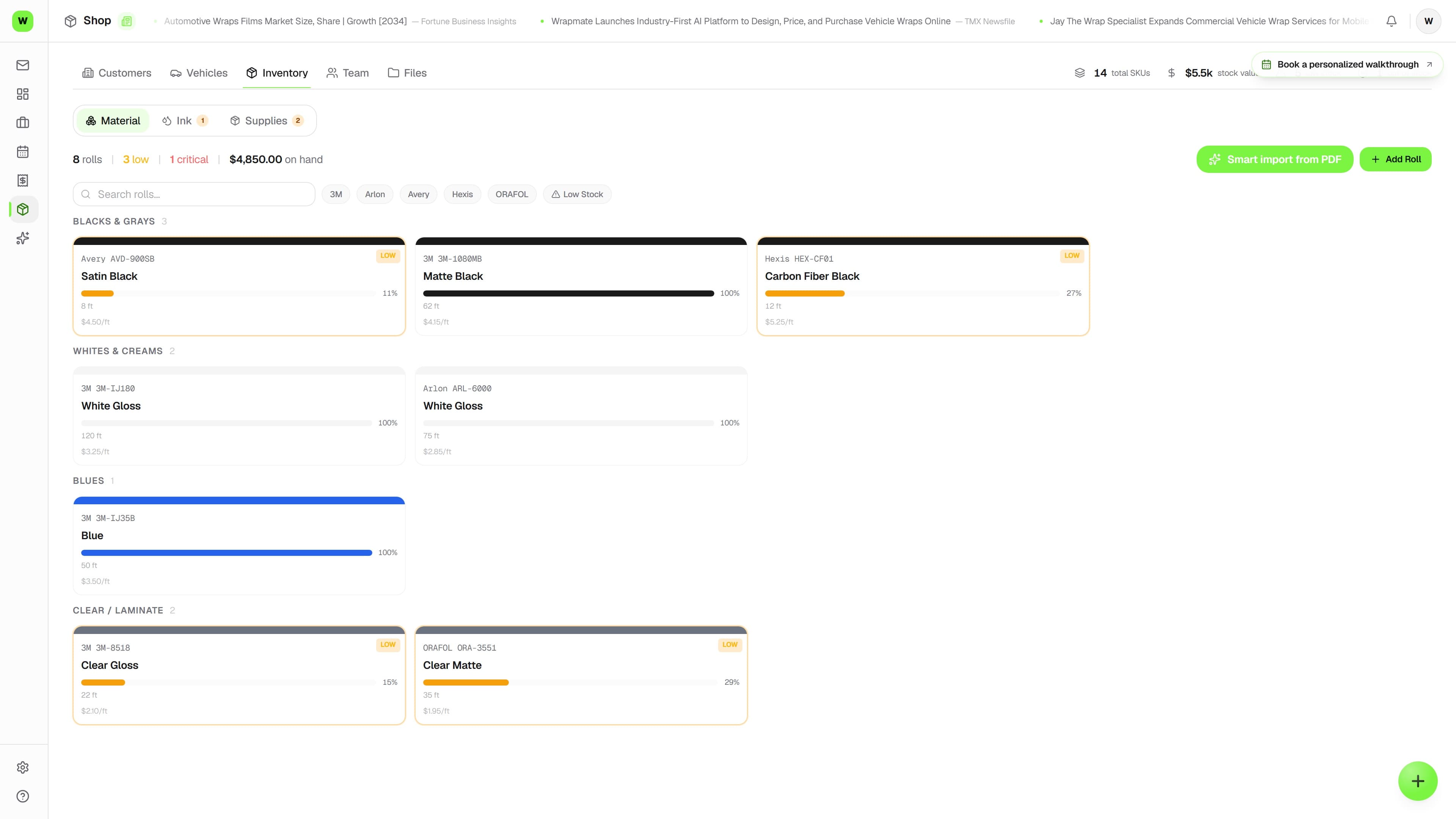
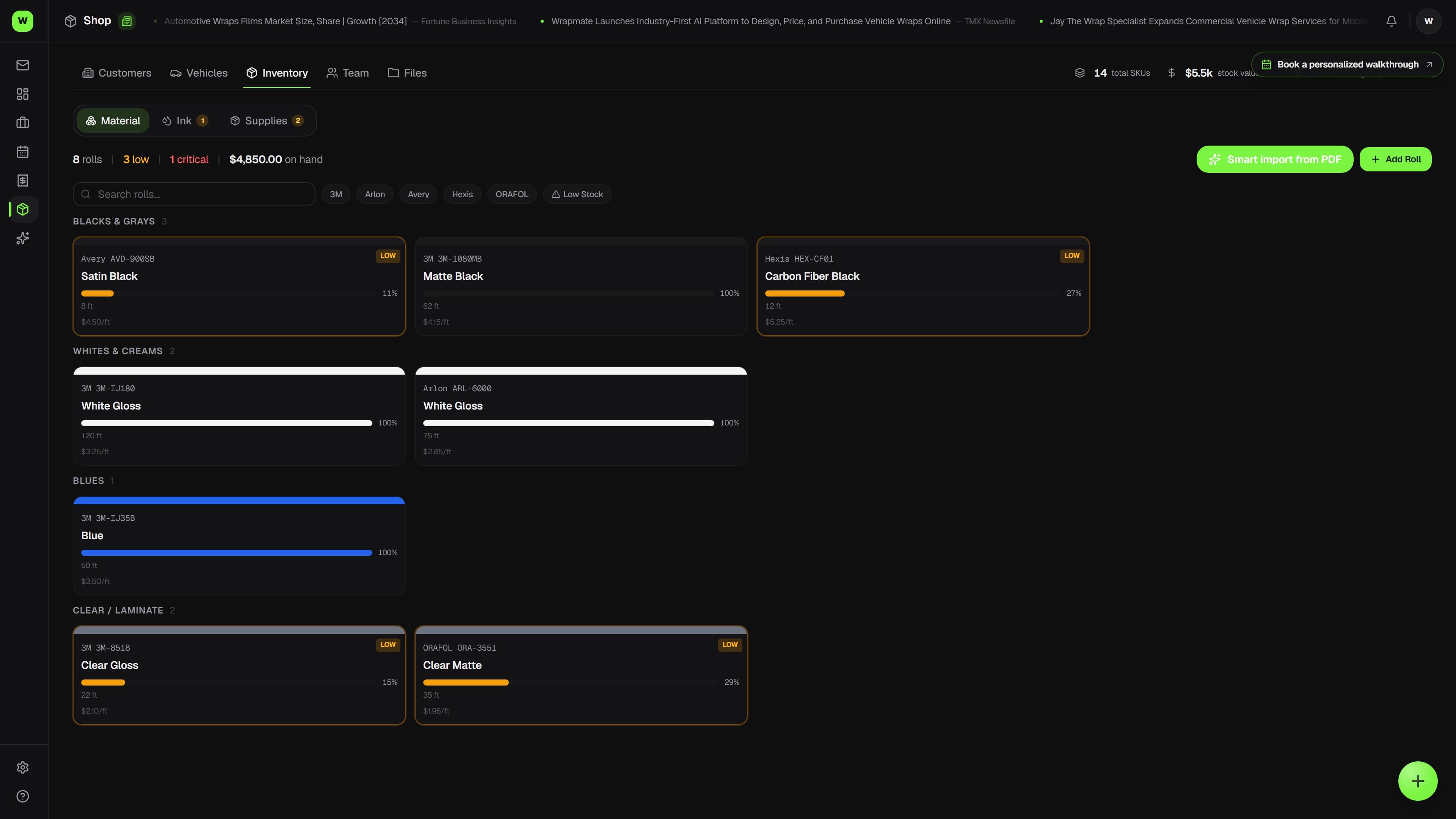
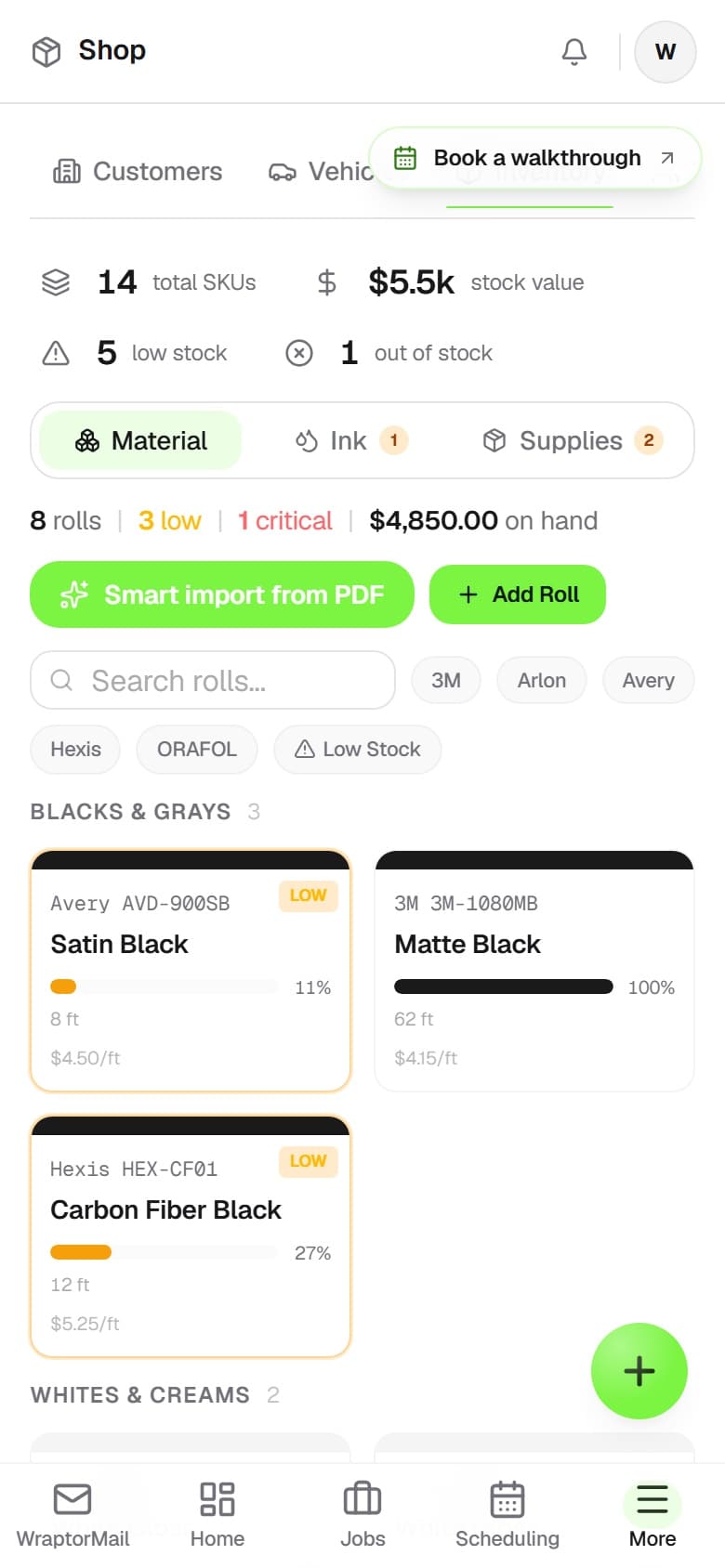
Wraptor inventory screen showing vinyl rolls by brand, color, and remaining footage

A look inside your next workday.

A better way to work

Guessing how much vinyl you have left is expensive

Running out mid-install means delays, rush orders, and unhappy customers.

Without Wraptor

  • Guessing remaining vinyl by eyeballing rolls
  • Running out of 3M Satin Black mid-install
  • No idea what materials you used on which job
  • Over-ordering to avoid shortages, tying up cash
  • Manually tracking vendor orders in spreadsheets

With Wraptor

  • Exact footage remaining on every roll, updated per job
  • Low-stock alerts before you run out
  • Material usage tracked per job and per vehicle
  • Usage analytics to optimize ordering
  • Vendor invoices auto-parse into inventory additions
  • Numbered purchase orders — receiving bumps stock and books the expense

See it in action

Every view. One familiar workspace.

Take a closer look at the screens your crew will use, with views for the way you like to work.

Wraptor inventory screen showing vinyl rolls by brand, color, and remaining footage (light mode)

How it works

A clear path from setup to done.

01

Add your materials

Enter your vinyl rolls, PPF, laminates, and tools. Set brand, color, SKU, width, and quantity. Bulk import if you have a spreadsheet.

02

Assign to jobs

When you start a job, select the materials you'll use. Inventory deducts automatically as you assign rolls to vehicles.

03

Get low-stock alerts

Wraptor monitors your thresholds and alerts you before you run out. No more surprise shortages mid-install.

04

Restock from inbox

Vendor invoices in WrapMail auto-parse line items. Confirm with one click and inventory updates instantly.

Capabilities

The details that make the difference.

  • Vinyl Roll Tracking

    Track every roll of vinyl in your shop. Brand, product line, color, width, remaining length. Know exactly what you have before quoting a job.

  • Low-Stock Alerts

    Set minimum thresholds per material. Get notified when 3M Satin Black drops below 50 feet. Never delay a job because you ran out of material.

  • Per-Job Material Deductions

    Assign materials to a job, and inventory updates automatically. Used 60 feet of Avery Gloss White on a Tesla? The roll balance adjusts in real time.

  • Brand, SKU, and Color Tracking

    Organize by brand (3M, Avery, XPEL), product SKU, color name, and finish type. Search and filter instantly across your entire inventory.

  • Usage Analytics

    See which materials you burn through fastest, cost per job, and waste rates. Optimize ordering so you never over-buy or under-stock.

  • Reorder from Vendor Invoices

    When a vendor invoice hits your WrapMail inbox, AI parses the line items. One click to add the entire order to inventory with brand, quantity, and cost.

  • Roll usage from the print file

    Open a print file on the job and Wraptor measures the roll footage it will consume. One click deducts it from the exact roll — inventory tracks what production actually printed, not estimates.

  • Smart pricing import (AI from PDFs)

    Upload a supplier cost sheet or your own price sheet and let AI extract materials and labor into editable inventory items and rate-card suggestions you review and approve.

  • Purchase orders & vendors

    Keep vendor records and raise numbered POs with a draft → ordered → received lifecycle. Email the PO PDF straight to the vendor, and let low-stock items draft their own reorders grouped by preferred vendor. Receiving a PO bumps stock and books the material expense in one step.

  • Print substrates from quote to stock usage

    Link a print recipe to inventory for an internal substrate estimate. Area stock allows for bleed and spoilage; each-based stock counts one blank per piece. With material tracking enabled, the material-use stage plans and deducts the approved specification, subject to your existing manual plan and available stock.

  • Review the exact supplier variant

    Compare supplier material names with inventory, check brand, finish, color, width, and stock unit, then confirm the match. Matching alone changes neither stock nor pricing.

  • Separate vinyl and laminate readiness

    Check each material layer against its own usage, available stock, and remaining demand. Roll reconciliation updates linked roll footage and SKU stock together where roll tracking is included in your plan.

FAQ

Common questions.

Does Wraptor manage purchase orders and vendors?

Yes. Wraptor keeps vendor records and lets you raise numbered purchase orders that move through a draft, ordered, and received lifecycle. You can email the PO as a PDF straight to the vendor, draft reorders for low-stock items grouped by preferred vendor, and receiving a PO updates stock levels and books the material expense in one step.

Can I track vinyl rolls in Wraptor?

Yes. Track rolls by brand, product, color, width, and remaining stock. Planned materials reserve stock; recording usage or confirming your material-use stage deducts it. Available and reserved amounts help the team prepare for upcoming work.

Does Wraptor alert on low stock?

Wraptor lets you set minimum thresholds for any material in your inventory. When a product drops below your threshold, you get an automatic notification. This prevents job delays caused by running out of material and helps you reorder before it becomes a problem.

How does Wraptor handle material deductions per job?

Plan materials on the job, then record usage or confirm the workflow's material-use stage to deduct stock. Linked print products can generate that plan from the approved quote. The job's Materials tab records actual usage, and reconciliation adjusts supported area stock to match what production used.

Does a print product's margin include every production cost?

The product editor shows margin after substrate only. It uses current linked inventory costs and excludes ink, finishing, and labor. The job's P&L compares estimated substrate cost with recorded usage; actual material cost is counted once.

Can I organize inventory by brand and SKU in Wraptor?

Wraptor lets you organize your entire inventory by brand like 3M, Avery, and XPEL, along with product SKU, color name, and finish type. You can search and filter instantly across everything in stock, making it fast to find the exact material you need for any job.

Make room for better work

Plan material needs before the next install

Inventory tracking is open on every plan; roll-level tracking and cost-drift alerts come with Shop. Test it all on a 7-day free trial — no card required, no automatic charge.

Free demo · Optional 7-day trial requires no card