For sign & graphics shops · Updated for 2026
From sign quote toPrint, Finish, and Install
Price banners, signs, decals, and vehicle graphics. Keep the catalog, approved artwork, production ticket, department boards, and install schedule together.
7-day trial · No card required · No automatic charge. A demo is optional.
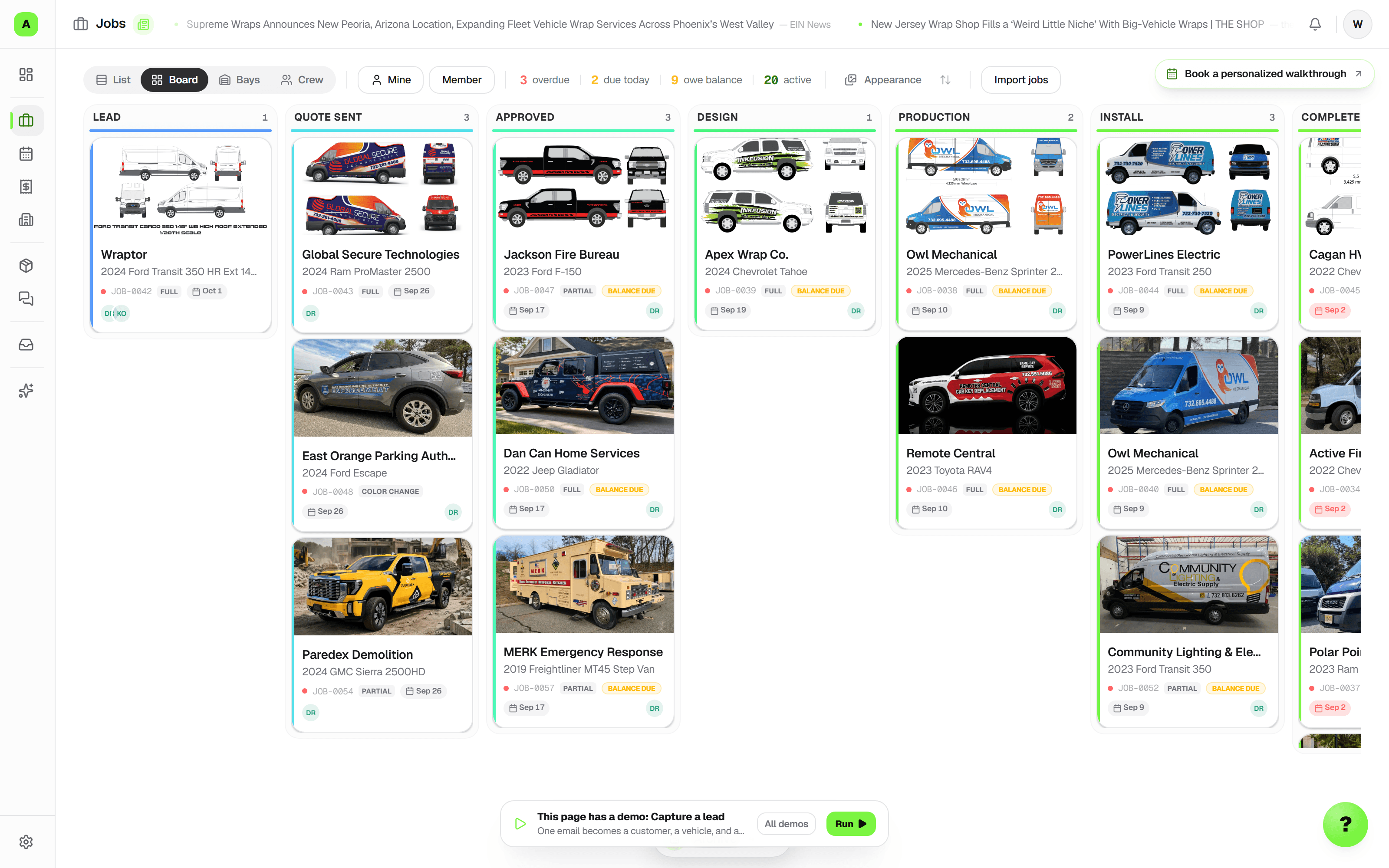
Keep the quote, the work, and the customer connected.
Quick answer
Wraptor runs print and sign orders alongside vehicle graphics: quote from reusable products, show quantity breaks, approve the artwork, hand off a production ticket, and schedule the install. Department boards keep different processes organized within one customer job. Starter is $99/month for 2 seats; Shop is $199/month with unlimited seats. Book a 30-minute demo; the 7-day Wraptor Shop trial starts when you open your workspace.
How do we quote banners, yard signs, decals, and business cards?
Choose Print & signs, pick a catalog product, and enter its dimensions and quantity. Price by square foot, item, or the longest side in linear feet. Finishing checkboxes can add hems, grommets, laminate, contour cutting, or your own options. Save recipes in a reusable catalog and reorder the products your team uses most. Five starter products have suggested rates clearly marked for you to review and edit.
Can customers see quantity breaks?
Yes. Set quantity breaks on each product and Wraptor applies the rate for the quantity ordered. Supported itemized quote layouts and PDFs can show the next quantities and totals while the quote is open for approval, so a customer can compare a larger run without asking for another estimate. The editor warns when a quantity break would make a larger order cost less than the current one.
What goes on the print job ticket?
Print a production ticket from the job packet with approved product specs, artwork and revision references, prepress notes, roll and tiling checks, production steps, and sign-offs. Typical orders fit one page; larger orders continue onto more pages without cutting off products. Unapproved or incomplete scope is flagged. Print and sign onboarding includes a sample banner order so staff can follow a quote through production.
Can we track print material costs?
Optionally link a product's substrate to a roll or sheet in inventory. The quote editor shows estimated substrate cost and margin after substrate to staff, excluding ink, finishing, and labor. Confirming print material usage records the planned consumption against the job, and the job's profitability view compares estimated and actual material costs. Customer documents keep those internal costs private.
How do repeat print orders work?
Reorder a completed print job into a fresh draft with the previous sizes and quantities. Current catalog rates are rechecked and price changes are flagged; artwork and production sign-offs reset for review. Customers can request the same order again from their tracker or fleet portal. The shop confirms the new order before production.
Can we review requests and quotes before saving work?
Yes. Review the captured service and customer, then continue into a draft quote. Compare requested work with the draft and choose any additions. You enter prices, choose tax categories, and decide when to share. Proof feedback and job notes can also become reviewed checklist tasks or handoff clarifications.
Can we read scans and split documents between jobs?
Review text from supported PDFs, text documents, and English printed PNG/JPEG scans. Choose the job and category for the original, or assign pages separately and correct them later. Originals stay preserved. Automatic job matching and automatic filing are not offered.
Can we override an internal scheduling conflict?
Staff with scheduling access can choose Allow overlapping bookings for one save. Bay and crew conflicts are explained separately. A recorded finish releases unused bay time after cleanup; public self-booking keeps its conflict rules.
Can each department have its own board?
Yes. Start with Wraps, Signs, or PPF, then name the stages for your process. One customer job can contain work on several department boards, with optional dependencies and one customer and billing record. The combined jobs view shows where every department stands. Department boards are included on Fleet, with unlimited boards.
Can we schedule an install before production is finished?
Yes. Set an install date, time, and duration when creating or editing the job, independently of its workflow stage and promised due date. Switch Schedule between install dates and due dates, then use agenda, week, or month. Bays and crew assignments are optional: a shop with one install location can schedule there without creating a bay. Each employee can save Schedule, Today, List, or another available jobs view as their default.
How does the scheduler hand work over to the floor manager?
Assign scheduling and production owners, record the next action, flag a blocker, and set a follow-up on the job. The manager can acknowledge the version they reviewed; later changes remain visible in the handoff history. Today brings together today's and tomorrow's work, changes needing review, blockers, customers awaiting a reply, and follow-ups due. Quick capture turns a short note and reference photos into a job request for review, without requiring a vehicle or matched customer.
How do customers hear about appointment changes?
Staff can prepare an editable appointment message from a template, review it, and send it through the existing message composer. Track appointments as Tentative, Communicated, or Confirmed; rescheduling returns them to Tentative so the team knows to reconfirm. On a phone, photo uploads offer camera, library, or file selection, keeping reference and inspection photos with the work.
Can we run fleet graphics and non-vehicle signs together?
Yes. Print & signs quotes use product dimensions and quantities without requiring a vehicle. Fleet accounts organize work as a parent job with a child job for each vehicle. For a mixed customer order, department work stays attached to the same customer job and billing record. Use separate stages for signs, wraps, and PPF, with a combined view for the manager.
Is Wraptor a shopVOX alternative for sign shops?
Yes, especially for shops combining print, signage, and vehicle work. Both offer quoting, customizable workflows, and proofing. Wraptor adds reusable print recipes, customer reorder requests, vehicle records, department handoffs, and install-or-due-date schedules within its shop workflow. shopVOX offers a broader custom-manufacturing system, including advanced add-ons. Compare the workflow and total cost for your team on our shopVOX comparison page.
Head to head
How Wraptor stacks up
Side-by-side comparison of Wraptor vs the tools shops in this vertical typically use.
| Feature | Wraptor | Separate spreadsheets and paper |
|---|---|---|
| Product catalog with quantity breaks and finishing options | Manual formulas | |
| Approved artwork and production ticket on the job | Separate files | |
| Department boards with a combined jobs view | Manual updates | |
| Install dates and promised due dates kept separate | Separate calendar | |
| Estimated and actual material costs on the job | Manual reconciliation | |
| Customer reorder requests linked to the prior order | Email or phone |
Ready to run your shop smarter?
7-day trial · No card required · No automatic charge. A demo is optional.